 Meteopolis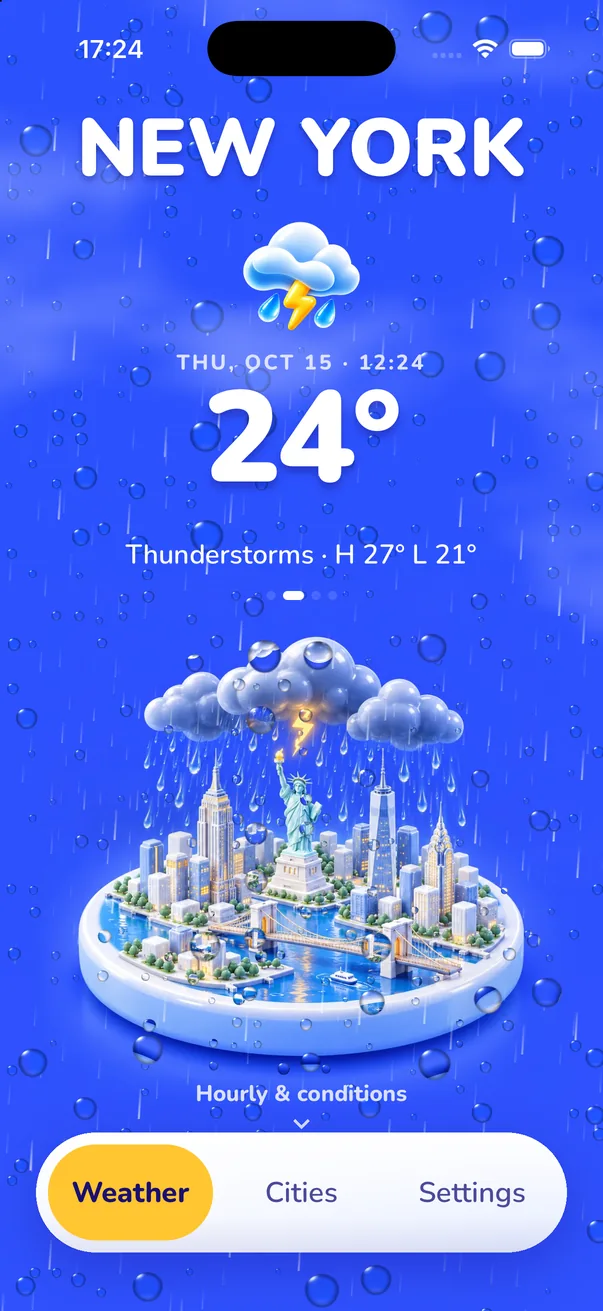
Meteopolis is a 3D weather app for iPhone and iPad that shows your city as an isometric 3D diorama with its real landmarks. The scene changes with the live forecast (clear, cloudy, fog, rain, storm, snow, day and night), and rain, snow and lightning are animated over it.
What "3D weather" means here
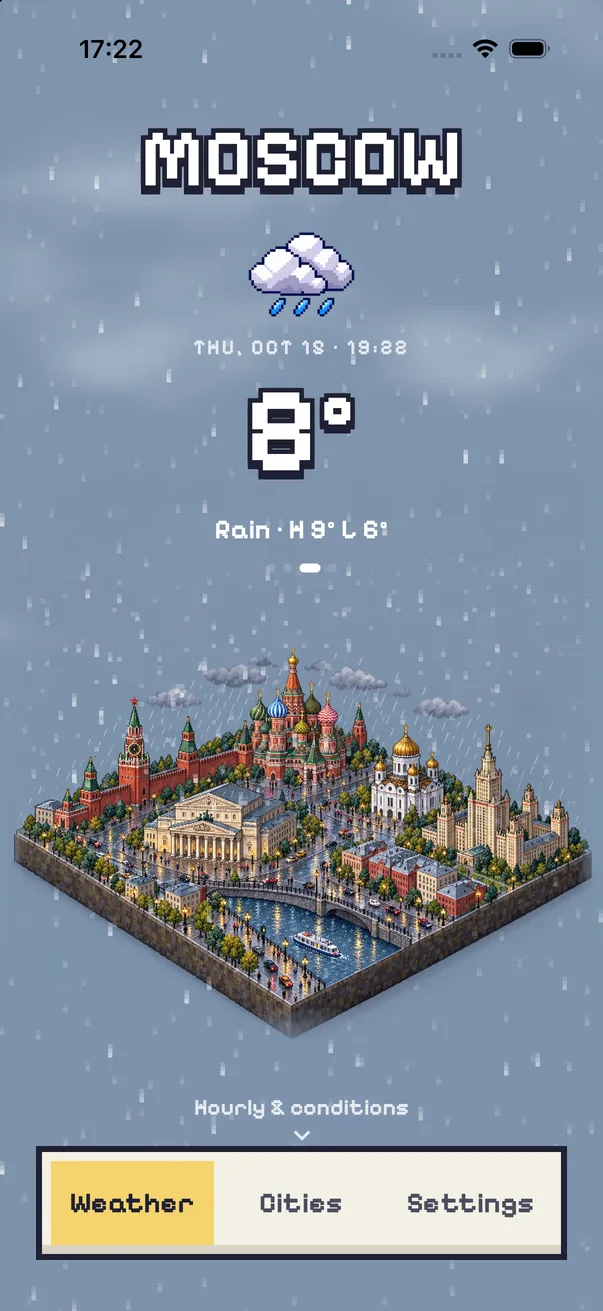
Search "3D weather" and you'll mostly find two things: 3D radar maps for storm chasers, and apps with 3D-style icons. Meteopolis is neither. It builds a 3D miniature of the city you choose (New York with the Statue of Liberty and the Empire State Building, Moscow with the Kremlin, Dakar with the African Renaissance Monument) and puts the real weather on it.
How the scene follows the weather
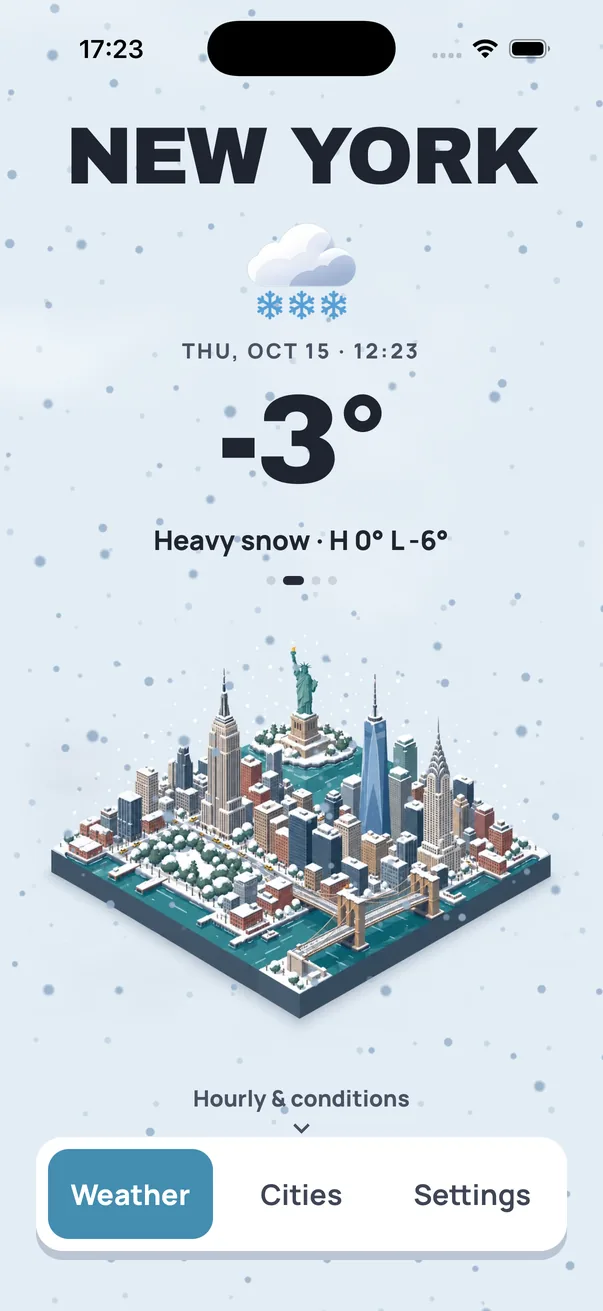
- Condition: clear, partly cloudy, cloudy, fog, rain, storm and snow each get their own scene: wet streets, snow-covered roofs, storm clouds piling up.
- Time of day: day and night versions, with city lights at night.
- Motion: rain, snow, fog and lightning are animated on your iPhone over the scene, so it's never a still picture.
- Sound (optional): soft ambient rain, wind or storm loops that match the conditions.
Is it a real forecast?
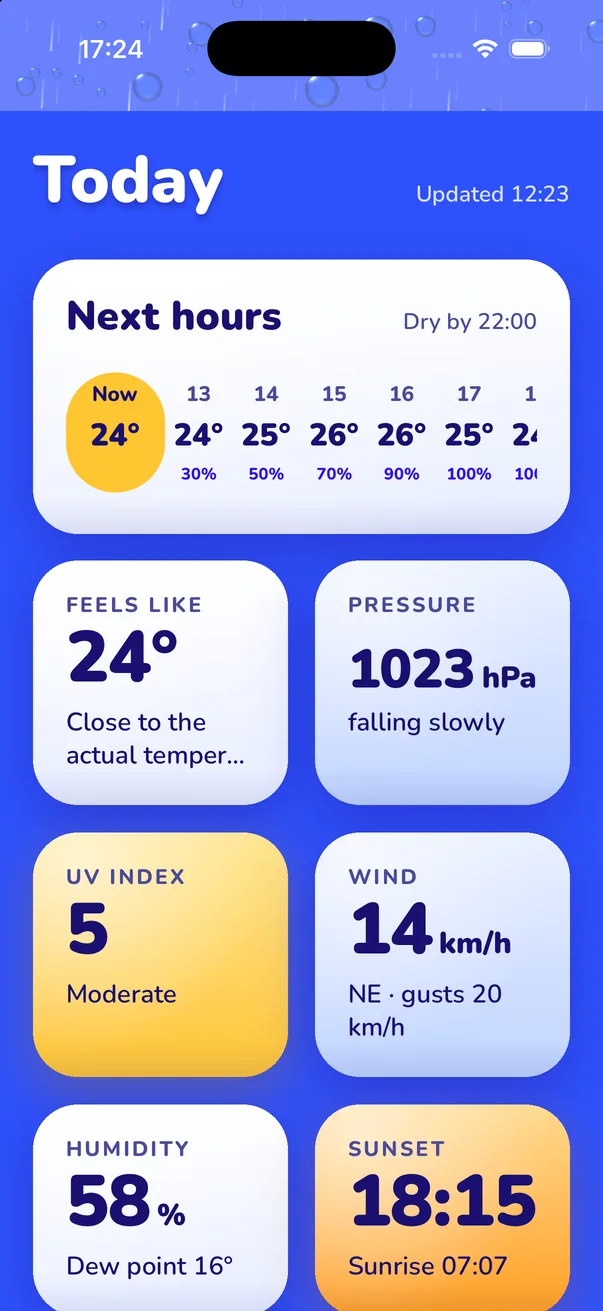
Yes. The data comes from Apple WeatherKit, the same source as Apple's Weather app. Swipe up on any city for the next hours, the 7-day outlook, feels-like temperature, UV index, wind and gusts, humidity, pressure, sunrise and sunset, plus air quality and pollen.
Try it on your city
- Download Meteopolis and allow location, or search any city.
- Watch it paint your city. A city that hasn't been painted in your style yet takes a moment the first time.
- Swipe up for the forecast; long-press the scene to hide the interface and see the diorama on its own.
Quick answers
Is there a 3D weather app for iPhone?
Yes. Meteopolis shows your city as a 3D isometric miniature that changes with the real weather, with animated rain, snow and lightning.
Where does Meteopolis get its weather data?
From Apple WeatherKit, the same source as Apple's Weather app.
Try Meteopolis free
Your city as a living miniature, in 45 styles. Free to download for iPhone and iPad.