 Meteopolis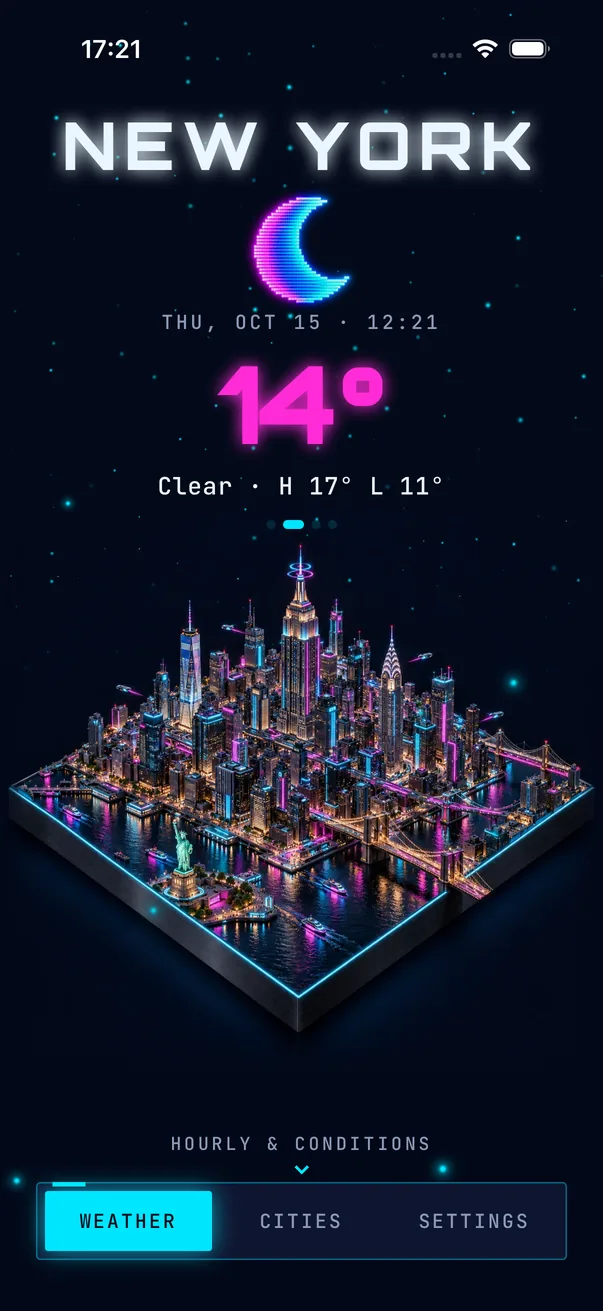
To add an aesthetic weather widget on iPhone: install Meteopolis and open it once, touch and hold the Home Screen → Edit → Add Widget, search Meteopolis, pick small, medium or large, and tap Add Widget. The widget shows your city's scene in the style you picked in the app.
Step by step
- Install Meteopolis and open it once. The widget needs the app to have your city and style before it can draw anything.
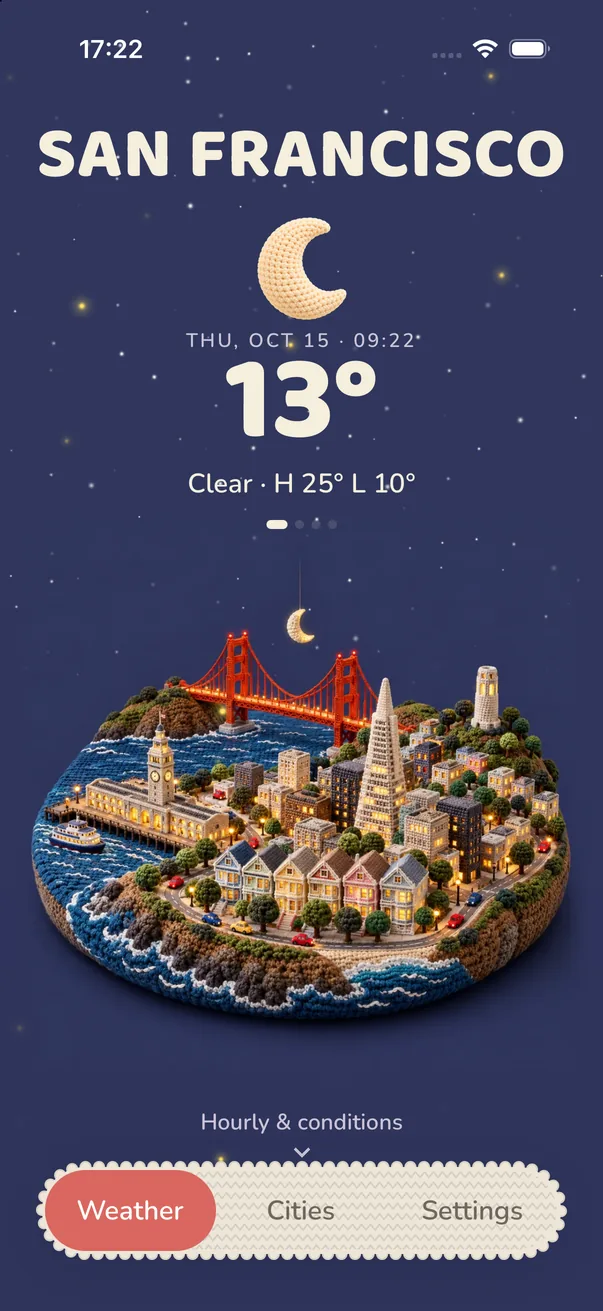
- Choose your style first. In Meteopolis, open Settings → Scene style. The widget follows the style you're using, so pick one that suits your wallpaper. Neon and Electric suit dark setups, Paper, Porcelain and Felt suit light pastel ones.
- Touch and hold an empty part of your Home Screen until the icons jiggle, then tap Edit → Add Widget.
- Search "Meteopolis" and swipe through the sizes: small (city scene and temperature), medium (wide scene) and large (full diorama).
- Tap Add Widget, drag it where you want it, then tap Done.
Which size looks best?
| Size | Best for |
|---|---|
| Small | A tidy grid next to app icons; shows the scene plus temperature |
| Medium | The classic "weather row" at the top of a page; the miniature gets room to breathe |
| Large | A whole-page centerpiece, like a little window onto your city |
Make it match your home screen
The trick behind every good-looking setup is a limited palette. Pick the Meteopolis style whose colors match your wallpaper and app icons:
- Dark and moody: Neon, Electric, Carbon, Wireframe
- Soft and pastel: Porcelain, Opaline, Pastry, Felt
- Warm and handmade: Crochet, Embroidery, Wood, Paper
- Bright and playful: Signature, Cartoon, Clay, Pixel
Widget not updating? Open Meteopolis once. The app sends the widget its next 12 hours of weather each time it runs. If you switch style, the widget picks up the new look the next time it refreshes.
Want it on the Lock Screen too? See how to put a weather widget on your Lock Screen.
Quick answers
How do I get an aesthetic weather widget on iPhone?
Install Meteopolis, open it once, then touch and hold the Home Screen, tap Edit, Add Widget, search Meteopolis and add the size you like.
Can I change the weather widget's style?
Yes. The Meteopolis widget follows the style you choose in the app under Settings, Scene style.
Try Meteopolis free
Your city as a living miniature, in 45 styles. Free to download for iPhone and iPad.